 getting started
 fundamentals
 content
 delivery
 engaging your audience
 speaking to inform
 speaking to persuade
 speaking occasions
Doing Research
To find supporting material for your presentation, you’ll need to do research—and start doing it early! In addition to providing supporting material, research can also help you refine the focus of your presentation and NARROW YOUR TOPIC (130–31). You might even uncover information that will change your opinion about your topic or your overall PURPOSE (109–18). For example, if you were doing research for a presentation on how cities can save money by promoting digital reading and downsizing libraries, you may discover that libraries provide countless other services, including resources to combat illiteracy and assistance to those in search of employment. As a result, you might change your presentation to one that advocates making library services more visible and available to the community.
Look for supporting material in a variety of places, including books, speeches, plays, magazine articles, podcasts, television shows, courtrooms, interviews, and social media platforms—the possibilities are almost limitless! To find the supporting material best suited for your presentation, utilize library catalogs and databases as well as online search engines.
USING THE LIBRARY
Perhaps the best place to start your research is your college library or a comprehensive public library—both the physical library and the library’s online catalog and databases. A librarian can help you navigate all the library’s resources, so come prepared with your topic and a set of questions in hand.
The Catalog An inventory of all the material the library owns, the catalog includes print and electronic material, books, encyclopedias, films, and more. You can search the catalog by author, subject, title, or publication. If you don’t know where to begin, search by subject or keyword to find all available materials related to that topic. And if you’re stuck, ask a librarian for help.
Databases Your library will also provide access to online databases, which are collections of newspapers, magazines, journals, and possibly even video and audio content. General databases provide scholarly and popular sources, and they’re a good place to start. Subject-specific databases are helpful for researching topics that require specialized academic knowledge, such as PubMed Central (biomedical and life sciences), IEEE Xplore (electrical engineering and computer science), APA PsycInfo (psychology), and Project MUSE (humanities and social sciences). The best database to use will depend on the subject of your presentation. You could use an academic database to locate studies about the impact of mindfulness on stress levels, for example. A news database would be more helpful for up-to-date information about elections in your state.
USING THE INTERNET
The internet is often the first place people look to find supporting material. Internet research tools include search engines like Google, Bing, or DuckDuckGo, but they can also include Google Scholar, a search engine that will direct you to scholarly literature. Wikipedia, a free online encyclopedia, is also a helpful place to find other sources and get background information. Look at the bottom of any Wikipedia entry for a list of additional sources where you can continue your research. Although Wikipedia is maintained by editors to ensure accuracy, we recommend using the site as a starting point, not an end point.
The accessibility of the internet makes it an easy option for research—and possibly an unreliable one. Unlike the library catalog and databases, anyone with access to the internet can post their work without any verification. Be cautious and use the SIFT METHOD (145–47) described later in this chapter to verify the credibility of sources you find online.
Internet Searches You can find almost anything on the internet. Learning how to search for useful information effectively will help find the best resources available. Let’s say you’re conducting research for a presentation about why people should support human rights. The search term human rights turn up more than 8 trillion results. You’ll need to narrow that down! Fortunately, there are Boolean operators—words used to include or exclude information and make your search more specific.
- Use AND to find sources that include all terms. If you’re looking for examples of human rights related to religion, search human rights AND religion.
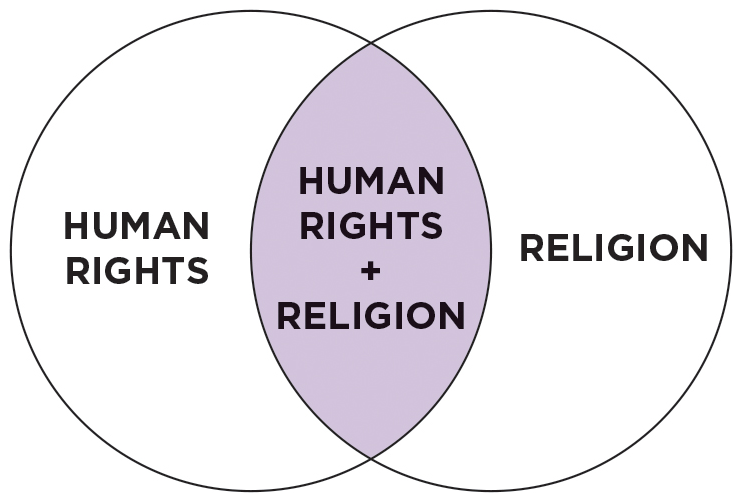
More information
A Venn diagram has two regions labeled human rights and religion. The intersection of human rights and religion is highlighted.
- Use OR to find sources with either of those words, like human rights OR religion
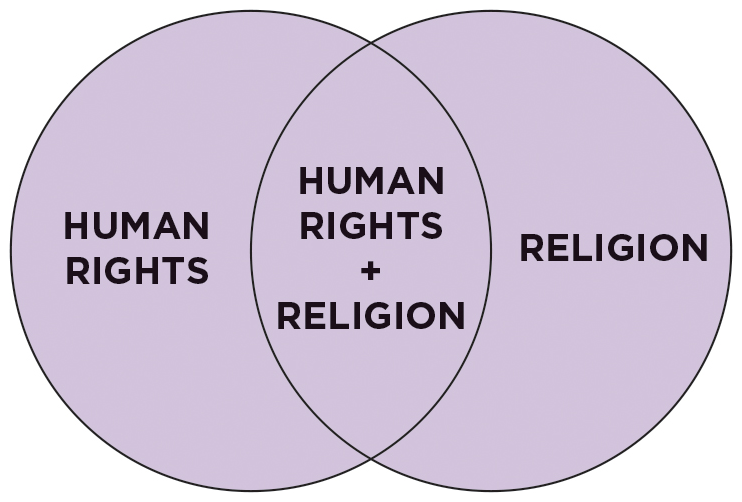
More information
A Venn diagram has two regions labeled human rights and religion. The entirety of both regions are highlighted.
- Use NOT to exclude a term. Searching human rights NOT religion will return results that are about human rights but not religion.
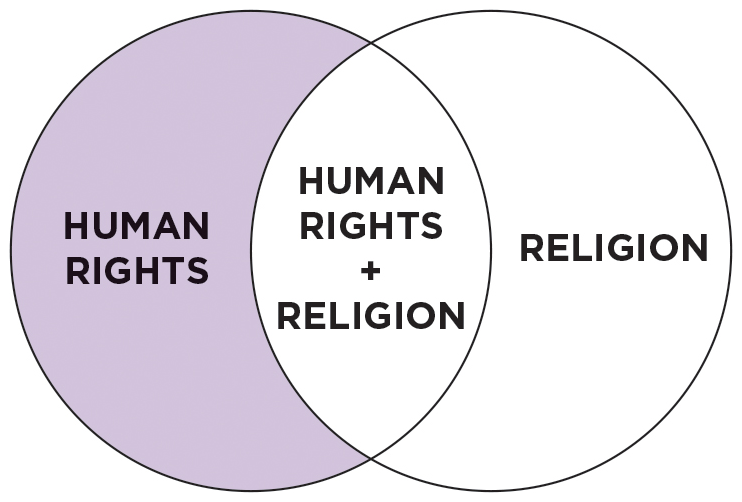
More information
A Venn diagram has two regions labeled human rights and religion. The section of human rights that does not contain any of religion is highlighted.
- Use quotation marks to find sources with a specific term. Searching “human rights” will show results that include the term human rights as opposed to results that contain any of the words human, rights, or human rights.
Generative AI As you know, GENERATIVE AI (50–55) can process, in a matter of seconds, an incredible amount of information from the internet, third parties, and users in order to create new images, video, audio, and text. And, by the time you are reading this book, AI will probably be integrated into most search engines.
You may think of generative AI as a quick and effective shortcut for doing internet research and for reading and summarizing the supporting material you need for a presentation. But even if your instructor or speaking situation permits the use of generative AI, it may not be the best research tool for finding the most reliable supporting material. In addition to not always identifying the sources of the ideas and information it has gathered, generative AI has been known to create hallucinated sources,4 generated content that is fictional, unsupported, or factually incorrect.
More importantly, identifying, reading, and understanding a range of supporting material is essential to becoming a confident and credible speaker. Relying on generative AI to read and summarize that information for you means that you’ll miss this critical step. If during your presentation you refer to—or have to answer questions about—the sources and content you haven’t actually read, your lack of competence and confidence will be on full display.
Although generative AI is getting more powerful and accurate every day, the technology has flaws—it can be wrong, and there can be legal and ETHICAL (43–57) issues that come with relying on AI to find your supporting material. Our advice is to use generative AI, if permitted, as a brainstorming tool to help guide your research process and consider new angles. Here’s one example of such a prompt:
For a [persuasive] presentation on [investing in e-bike infrastructure to improve safety and promote sustainability in rural college towns], please suggest three research questions to guide my initial research process.
When you have a clear direction for your research process, use the established and existing resources designed for that exact purpose: libraries, catalogs, databases, and search engines. And if, while using generative AI to brainstorm, you come across a story, quote, statistic, or other information that you’d like to use as supporting material, use your research skills to find the original source. You might even ask generative AI a follow up question, such as:
That [statistic/quote/story/source] you provided could be useful for my presentation. Can you provide a source for that information? Can you provide other sources that say the same thing?
Once you have identified the original source, you’ll need to read and evaluate the accuracy of that information by verifying it against other sources, which we will discuss next.
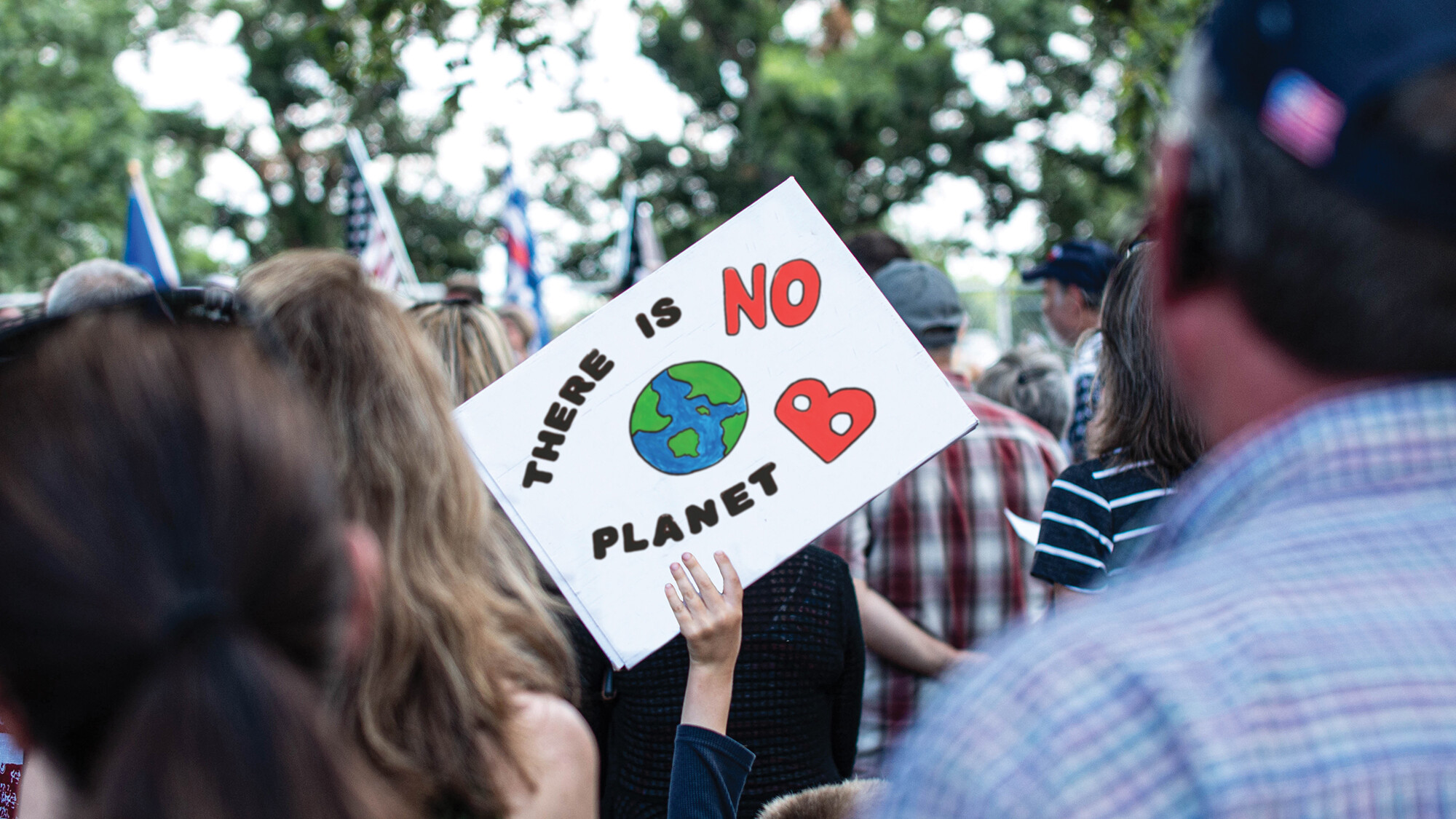
More information
A group of people outdoors at an environmental rally. One person is holding a sign that says There is NO planet B and features a drawing of the earth.

More information
A group of people outdoors at a political rally. One person is holding a sign that says We will not comply to medical tyranny.
Which image is real and which one has been digitally altered? The image of the protest sign on the left has been edited to distort the meaning of the real photograph on the right. As generative AI makes it easy for anyone to create and share fake images, you must evaluate the accuracy of all supporting material you encounter.
Glossary
- research
- A systematic search or investigation—in books, articles, online sources, INTERVIEWS, SURVEYS, and/or personal experiences—designed to find useful and appropriate SUPPORTING MATERIAL related to your TOPIC and PURPOSE.
- Boolean operators
- Words used to refine or expand searches, such as AND, OR, and NOT.
- hallucinated sources
- Content created by GENERATIVE AI that is fictional, unsupported, or factually incorrect.
Endnotes
- Negar Maleki, Balaji Padmanabhan, and Kaushik Dutta, “AI Hallucinations: A Misnomer Worth Clarifying,” arXiv, submitted January 9, 2024, https://arxiv.org/abs/2401.06796v1.Return to reference 4